The strangler fig pattern: modernise without a rewrite
Replace an old system one piece at a time while it keeps running. Moving the first piece is the easy part. Switching the old one off is the milestone.
By the Webair engineering team9 min read
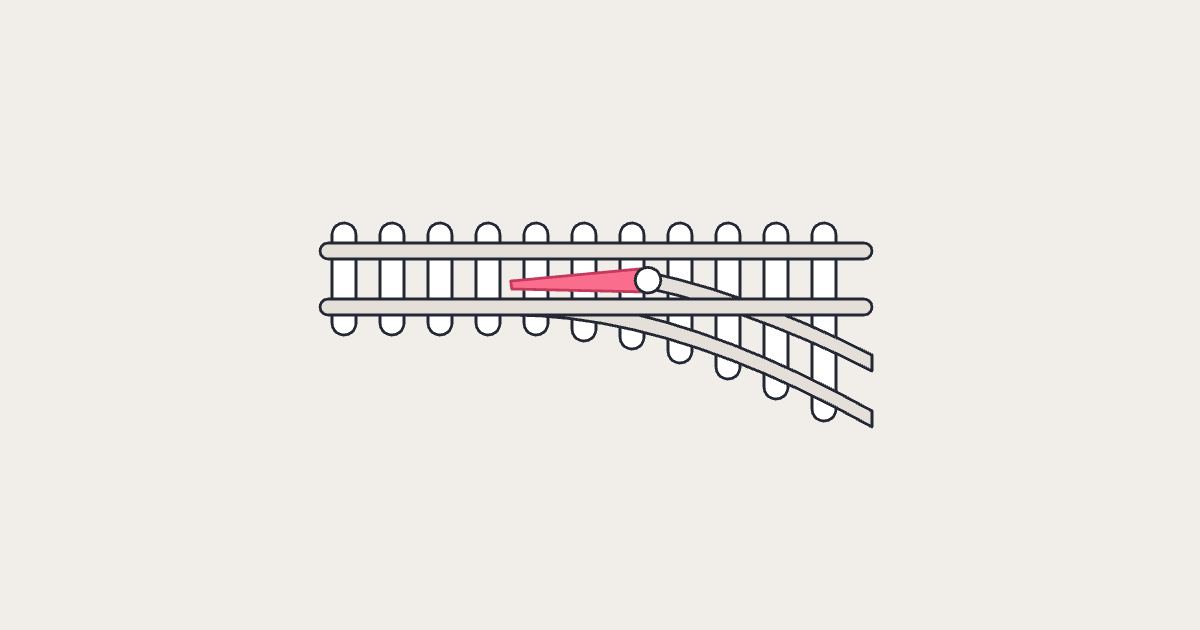
Don’t replace a legacy system in one go. Put a routing layer in front of it, build new pieces beside it, and move requests across one piece at a time while the old system keeps running. When nothing depends on the old system any more, switch it off. That’s the strangler fig pattern. Martin Fowler first described it in 2004,1 and Microsoft’s architecture guidance sets out the same steps today.2
Why big rewrites stall
Fowler describes systems built over decades, patch upon patch, that eventually need replacing wholesale. The obvious plan is a rewrite: build the new system beside the old one and switch over when it’s finished. In Fowler’s experience, that simple-sounding plan goes “down in flames most of the time”, for three reasons:1
- It takes too long. Replacing a serious system takes a long time, and users can’t wait that long for new features.
- The details are hard to find. A replacement looks easy to specify until you try to work out exactly what the old system does.
- Much of it isn’t wanted. A lot of that behaviour is no longer needed, so rebuilding it is wasted work.
None of this comes with a statistic: Fowler’s case rests on experience, and neither Microsoft nor Thoughtworks puts a figure on how often rewrites fail.
The strangler fig is easy to hear as “never rewrite”. It isn’t: it still replaces the whole system. What changes is how the risk arrives: a piece at a time, each small enough to check and undo, rather than all at once on the day you switch over. Fowler is clear it doesn’t make modernisation easy. It makes the investment and the returns gradual and visible.1
How the pattern works
At the centre is a façade: a routing layer, such as a proxy, in front of the old system. Every request goes through it, and it decides whether the old system or a new service answers. Customers keep using the same interface, unaware that a migration is under way.2
Microsoft’s guidance splits the work into four phases:2
| Phase | What the façade does |
|---|---|
| 1. Put the façade in place | Sends most requests to the old system, as before |
| 2. Move pieces across | Sends each piece to its new service once it’s ready, one piece at a time |
| 3. Switch off the old system | Sends everything to the new system, once nothing depends on the old one |
| 4. Remove the façade | Goes, so clients talk to the new system directly, or stays as an adapter for clients that can’t change |
The routing itself can be a short list of rules. Here’s what one might look like partway through phase 2, written by us to show the idea:
# Façade routing rules, checked top to bottom. First match wins.
/api/invoices/*   -> new invoicing service   # moved
/api/customers/*  -> old system              # next to move
/api/*            -> old system              # the rest, for now
Moving a piece means changing one line. Moving it back, if the new service misbehaves, is the same one-line change, as long as the old system still holds current data.
Because every request passes through it, the façade can become a problem of its own. Microsoft’s guidance says it must keep up with the migration and not become a single point of failure or a performance bottleneck.2 Treat it as production infrastructure from the first day.
The façade, and any code that lets old and new work together, is temporary. Fowler calls it transitional architecture: it can look like waste, but in his view the reduced risk and earlier value outweigh its cost.1
Choosing the first piece
The first step isn’t technical. Fowler’s advice is to be crystal clear about the outcomes you want, because too often he sees muddled objectives, and to agree them early and revisit them.1 “Modernise billing” isn’t an outcome. “Release pricing changes without waiting for the quarterly release” could be, if that’s what the business needs.
Then look for seams: places where the system can be split. Fowler suggests looking at the separate business needs the system serves and extracting them one at a time into new components.1 A piece defined by what the business does, such as invoicing, is easier to own and test than one defined by a technical layer.
The first piece needn’t be old behaviour. Fowler’s approach often starts with new features, built on top of the old system but separate from it,1 which gets value to users sooner and proves the façade and the new services before anything existing moves.
A good first piece has five things:
- It serves one business need. Invoicing or appointment booking, say, not “the data layer”.
- You can route it. Its requests pass through a point where the façade can intercept them.
- It’s small enough to finish. Fowler’s case for small pieces is that each carries less risk, pays back earlier and teaches you more about how to replace the rest.1
- It’s worth moving. Microsoft’s guidance notes that the pattern lets you make the replacements with the highest return first.2
- It has an owner and an end. One person accountable for it, a measure you’ll track, such as how long a change in that area takes to reach users, and a date for switching its old code off.
Each piece after the first should start faster. If new services begin from a golden path, with pipeline, monitoring and security checks in place, the effort goes into business logic rather than setup: one reason to decide what to build first in an internal developer platform.
Running old and new side by side
For as long as the migration runs, two systems do the work of one, and most of the difficulty lives where they meet. Microsoft’s guidance flags two places to plan for:2
- Shared data. Both systems may read and write the same data at the same time.
- Calls in both directions. Old code calls new services, and new services still need the old system. Microsoft suggests an anti-corruption layer: an adapter that translates between the two, so the old system’s way of describing things doesn’t leak into the new design.
Data needs the most care. Microsoft’s guidance moves it one business area at a time. At first the new service uses the old database. Then it gets a database of its own, loaded from the old one and kept in step with it, and the two are checked for consistency before the switch. Only then does the new database become the system of record, and the old tables can go.2 Until that last step, whichever system writes the data, the other depends on its shape, so give it an owner and agree how it may change.
In practice
Make deleting the old code and tables its own planned step for each piece, with an owner and a date. Until they’re removed, you can still roll back. After that, Microsoft warns, going back means restoring them and replaying changes, which significantly increases effort and risk, so its advice is to remove them only once the new system has been validated.2 If deletion isn’t planned, nothing forces it to happen, and you keep paying to run both.
Moving the first piece is the easy part: a proxy in front and one route changed. The hard part is the middle and the end: data both systems use, calls in both directions, and switching old parts off when they’re due.
Where AI helps, and where it doesn’t
Working out what the old system does is the second of Fowler’s reasons rewrites stall:
Replacements seem easy to specify, but often it’s hard to figure out the details of existing behavior.
This is where AI can help. In its November 2025 Radar, Thoughtworks rated using generative AI to understand legacy codebases as Adopt, a rating it explains as “We feel strongly that the industry should be adopting these items.”3 Drawing on its work across multiple clients, it says the tools can significantly speed up understanding of large, complex systems, helping developers surface business rules, summarise logic and identify dependencies. It calls the approach “a practical default rather than an experiment”.3
An earlier entry adds that giving the model a map of the code’s structure, a knowledge graph, preserves information it couldn’t derive from the code’s text alone.3
Two cautions: Thoughtworks sells modernisation work and publishes no figures behind the rating, so read it as a practitioner’s judgement, not a measurement. And it says setup effort grows with the size and complexity of the codebase.3
What AI can’t settle is which behaviour you still need. Fowler’s third reason is that much of the old behaviour isn’t really wanted.1 A model can describe what a function does. Whether the business still needs it is a question for the people who run the process, and their answer decides whether you move it, change it or let it go.
The description can also be wrong. NIST lists confabulation, confidently stated but false content, among the risks generative AI creates or makes worse.4 In old code with poor documentation, there’s less to check a plausible summary against. Treat what the model says as a hypothesis: confirm it with tests against the running system and with the people who know the process.
Faster understanding also has the same limit as faster coding: it only shortens the migration if review, testing and release keep up, the limit we looked at in whether AI coding assistants make teams faster.
When the pattern doesn’t fit
Microsoft’s guidance lists four cases where the pattern may not suit:2
- requests to the old system can’t be intercepted, so there’s nowhere to put the façade
- you can’t change the old system’s source code, so you can’t switch off migrated features or redirect its internal calls
- the system is small, and replacing it in one go is simple
- you need to switch the old system off quickly
The last deserves a hard look: the pattern assumes the old system can keep running for an extended period. If a contract or an end-of-support date sets a firm deadline, check the plan fits it before the first piece moves.
The pattern also can’t fix the organisation that produced the old system. Fowler counts changing the organisation among the activities of modernisation, and warns that “if there’s no change in organizational culture and leadership, the new systems will end up in a similar mess”.1
Moving the first piece isn’t the milestone. Switching the old one off is.
What to ask your team
A migration like this is measured by what it lets you switch off. Four answers show where yours stands:
- the outcome you’re modernising for, in terms the business would recognise
- which piece moves first, who owns it, and when its old code is due to be switched off
- which data both systems will use at once, and how you’ll know the copies match
- where AI is helping the team understand the old code, and how its answers get checked
Then the question that matters: which parts of our old system does the business still need, and what would it take to switch off the rest?
Sources
- Martin Fowler, Strangler Fig, martinfowler.com, 22 August 2024. First published on 29 June 2004 as Strangler Application; the 2024 version replaces it. Fowler is Chief Scientist at Thoughtworks, which hosts the site and sells modernisation work.
- Microsoft, Strangler Fig pattern, Azure Architecture Center, by Adnan Khan and Ovais Mehboob Ahmed Khan, last updated 2 June 2026. Microsoft sells Azure; the guidance cited here doesn’t depend on it.
- Thoughtworks, Using GenAI to understand legacy codebases, Technology Radar, first published 3 April 2024, rated Adopt in Volume 33, 5 November 2025. Not in the current edition, Volume 34 (April 2026); Thoughtworks says entries from the last few editions are likely still relevant. Based on its experience across multiple clients, with no published figures. Thoughtworks sells modernisation services.
- National Institute of Standards and Technology, Artificial Intelligence Risk Management Framework: Generative Artificial Intelligence Profile (NIST AI 600-1), July 2024.